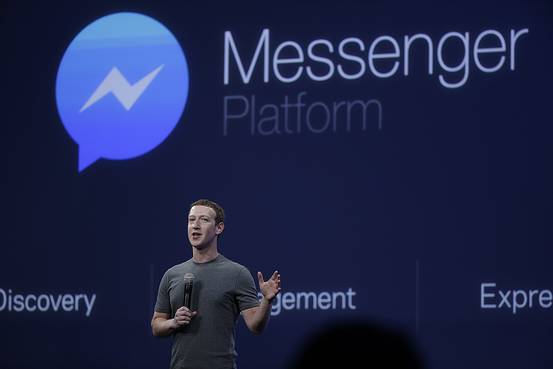
Facebook Messenger now lets you make free video calls. The new feature works in the United States, United Kingdom, Canada and 15 other countries. It uses Voice‑Over‑IP (VoIP) technology, so the call runs over Wi‑Fi or a 3G/4G mobile network.
What is the new free video calling feature?
The video call feature is built into the Messenger app. It is similar to video calls on Skype, FaceTime or Google Hangouts. You do not have to pay extra. The call is made over the internet, not over the regular phone network.
Facebook first added video calling to its desktop app in 2011 when it partnered with Skype. At that time, mobile and desktop users could not call each other. Facebook says it will allow cross‑platform video calls in a future update.
How to start a video call on Messenger
Open the Messenger app on your phone. Open a chat with the person you want to call. Look at the top‑right corner of the screen. You will see a camera icon. Tap the camera icon to start a video call.
The call starts with your front‑facing camera. If you want to show something behind you, tap the switch‑camera button to use the back camera. You can see the other person’s video on your screen.
If the call quality is poor, Messenger will lower the video quality automatically. If the network gets too weak, Messenger will ask if you want to switch to an audio‑only call. You can also end the video yourself and keep the call as audio only.
Saving data and network tips
Video calls use a lot of data, especially on a mobile network. Facebook uses efficient encoding to keep the data use lower, but Wi‑Fi is still the best choice.
Here are some simple tips to save data:
- Use Wi‑Fi whenever possible. Wi‑Fi does not count against your mobile data plan.
- Switch to audio‑only if the connection is weak. This saves data and keeps the call clear.
- Turn off auto‑play videos in your News Feed. This prevents other videos from using data while you are on a call.
- Close other apps that use the internet. This gives Messenger more bandwidth.
These steps help you stay within your data limits and keep the video call smooth.
New and upcoming features
Facebook is adding more tools to Messenger. Some of them are already live, while others are planned.
Messenger Rooms lets up to 50 people join a video call. This is useful for big families or online classes. The feature was announced in 2020.
Screen sharing is now available on Android and iOS. You can share what is on your phone screen while on a video call. This helps with showing pictures, documents or games.
Recent updates also bring HD calling and AI video backgrounds. HD calling gives clearer video. AI backgrounds let you change the background without a green screen.
Facebook also plans to add balanced lighting. This will keep your face bright even if you hold the phone far away. Another upcoming tool is group video calling, which is already in Skype and Hangouts but not in FaceTime.
All these features aim to make Messenger a one‑stop place for chatting, calling and sharing.
Frequently Asked Questions
Is the video call really free?
Yes. The call does not cost extra money. However, it uses internet data, so you may be charged by your mobile carrier if you are not on Wi‑Fi.
Can I call someone on a desktop Messenger app?
Desktop Messenger can make video calls, but mobile and desktop users cannot call each other yet. Facebook says this will change in a future update.
What happens if my internet is slow?
Messenger will lower the video quality automatically. If the connection gets too weak, you will be asked to switch to an audio‑only call.
Do I need a special phone to use video calls?
No. Any phone that can run the Messenger app and has a camera can make video calls. The app works on both Android and iOS.
Conclusion
Facebook Messenger now offers free video calls in many countries. The feature works over Wi‑Fi or 3G/4G and adjusts quality based on your network. You can start a call with a single tap, switch cameras, and switch to audio only if needed. Use Wi‑Fi to save data and explore new tools like Messenger Rooms, screen sharing, HD calling and AI backgrounds. The service makes it easy to stay connected with friends and family without extra cost.